 Skip to content

November 20, 2026
A facility manager evaluating alarm quotes rarely gets stuck on which keypad looks nicest. The real sticking points are whether the system will actually get monitored at 2 a.m., whether a panic button sits where staff can reach it without drawing attention, and whether switching providers means ripping out a wall full of working sensors. A security alarm system for business is not one product. It is a mix of sensors, a monitoring arrangement, and an integrator relationship, and getting any one of those three wrong shows up the first time something goes wrong after hours.
This guide walks through that mix in the order a procurement team actually faces it: what belongs inside a commercial alarm system, which sensors matter and why, where panic and duress buttons need to go, how monitored and self-monitored setups actually differ, and what to ask before signing with a monitoring company. It closes with the signs that a current setup needs an upgrade rather than another year of patchwork fixes.
No two facilities end up with the same configuration, and that is worth saying up front. A warehouse with a loading dock and a server closet carries different risk than a professional services office with one shared entrance and a receptionist desk. Cobalt FTS has worked through that difference as a North Texas commercial security integrator since 1998, and every project still starts with a walk of the actual building rather than a standard package pulled off a shelf.
What Is a Commercial Alarm System?
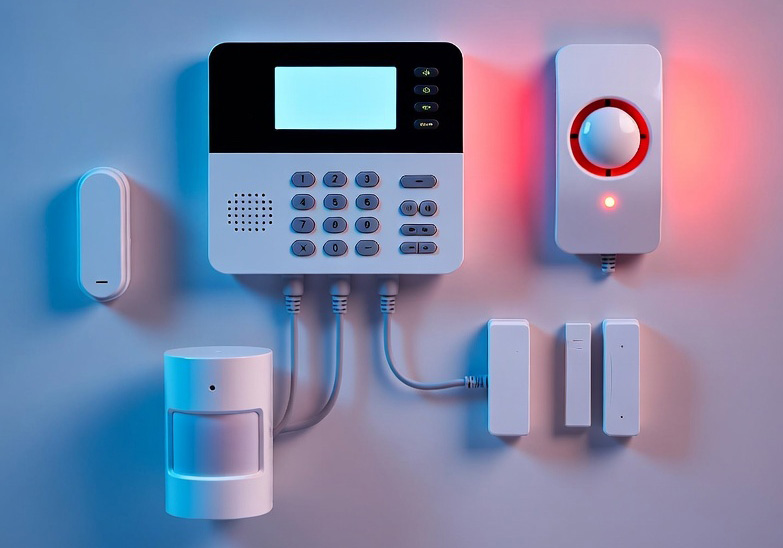
A commercial alarm system is a set of sensors, a control panel, and a monitoring arrangement that work together to detect unauthorized entry, trigger an audible or visual alert, and notify either on-site staff or a monitoring center. The panel is the hub: it receives signals from door contacts, motion detectors, and other sensors, then decides whether to sound a local alarm, send a notification, or both, depending on how the system is configured.
The Main Takeaway
A commercial alarm system only works as one coordinated system: the sensors, the monitoring arrangement, and the rest of the security stack, meaning video and access control, need to function together rather than being three things a facility manager checks separately after every incident. The brand of panel matters far less than that coordination. Cobalt FTS designs, installs, and services commercial alarm systems for businesses across Dallas, Fort Worth, and the broader North Texas and Texas market, from single-entrance offices to multi-site operations running the same alarm policy at every location.
Why Commercial Alarm Systems Matter for Dallas-Fort Worth Businesses
An unmonitored door sensor and a monitored one look identical on an invoice. The difference shows up only when something trips the alarm, and nobody is watching. These systems exist to close that gap, turning a triggered sensor into an actual notification rather than a sound nobody in the building is there to hear.
North Texas businesses face different risks depending on what they do. A warehouse security systems holding inventory overnight has a different exposure than a dental office that closes at six, and a data center or a Department of Defense contractor answers to compliance requirements that a retail storefront never has to think about. Schools, healthcare facilities, manufacturers, and government offices each carry their own expectations for how fast an alarm event gets confirmed and who gets notified first.
A building that has grown past its original footprint tends to outgrow its alarm plan at the same pace. A single zone that covered one small office five years ago rarely still matches a facility that has added a second suite, a loading dock, or an after-hours shift. Commercial building alarm systems age in predictable ways: battery backups weaken, phone-line-based signaling becomes unreliable as copper infrastructure is phased out, and a panel that was state of the industry a decade ago starts missing integrations that newer platforms handle without a second thought.
The businesses that end up unhappy with their alarm system rarely picked bad sensors. They picked a system that could not talk to anything else, so a triggered alarm and the camera footage from that same door lived in two separate places nobody cross-checked in the moment. Alarm and video integration gives a security team one place to look instead of a triggered sensor and a camera feed sitting in two separate systems.
See how Cobalt FTS designs intrusion alarm systems that connect to existing cameras and access control. Request a free assessment to see where a current setup has gaps.
What Sensors Make Up an Intrusion Alarm System?
Most intrusion alarm systems use a handful of sensor types, and knowing what each one covers makes it easier to spot a proposal that is missing something a facility needs.
Core Intrusion Sensors
- Door and window contacts: typically a magnetic sensor split across the frame and the moving part, detecting when an opening is breached.
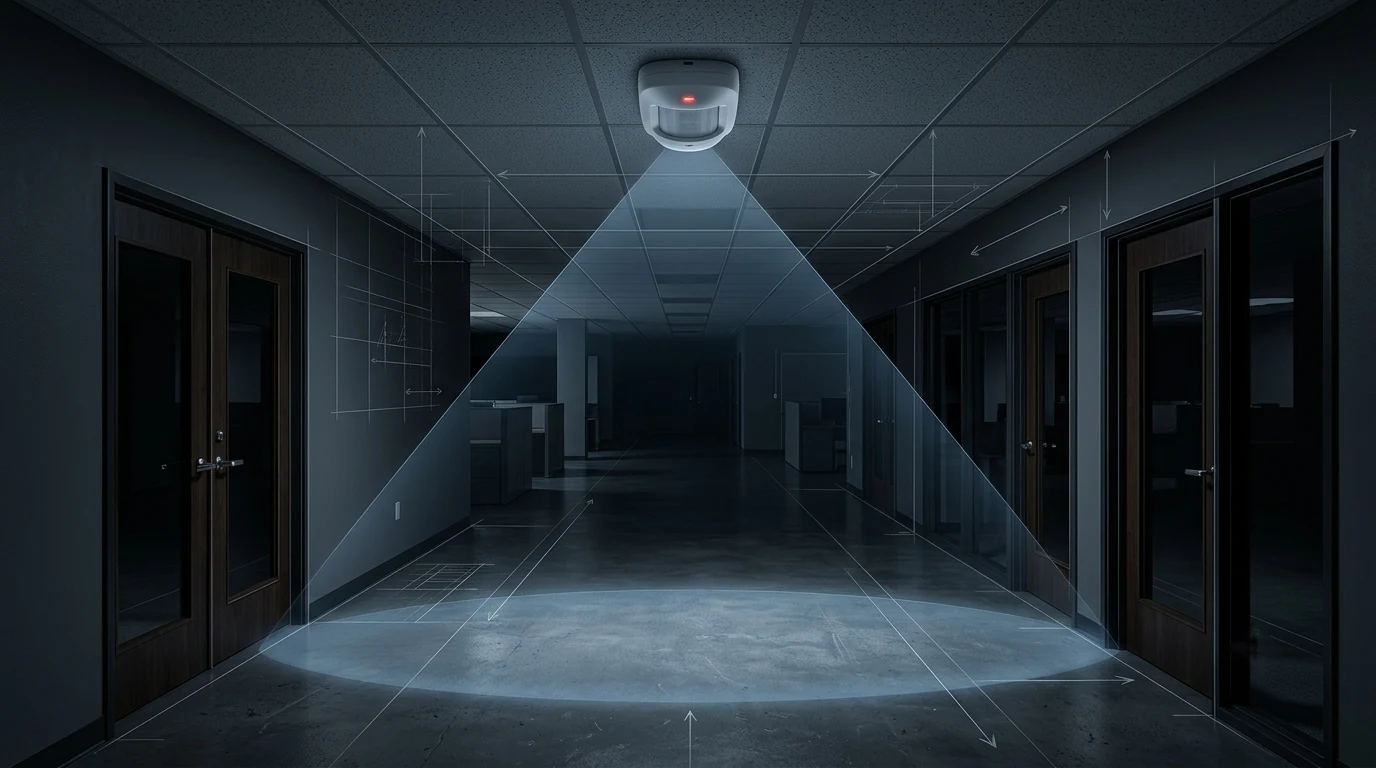
- Motion detectors: whether infrared or microwave, covering interior space and catching movement after a door or window sensor has already been bypassed or left open.
- Glass-break sensors: listening for the specific frequency of breaking glass, which matters most at ground-floor storefronts and loading areas where a window is the easier way in.
- Vibration detectors: detect the physical disturbance of someone trying to force a door, wall, or safe.
- Perimeter sensors: extend coverage to fences, exterior walls, and gates, flagging attempts to climb or cut through rather than waiting for someone to reach a door.
Environmental Sensors
Environmental sensors round out the picture for facilities where a break-in is not the only risk worth catching:
- Temperature sensors: flag a failing HVAC system before it becomes a bigger problem.
- Carbon monoxide detectors: catch a hazard that has no smell or visible warning sign.
- Smoke sensors: give early warning long before a human in the building would notice.
This matters most for a warehouse with sensitive inventory or a data center where equipment damage from an undetected leak or temperature swing costs more than a stolen laptop ever would.
Coverage depth matters more than sensor count. A building with twelve sensors covering every entry point and the areas that actually carry risk beats one with twenty scattered without a plan behind the placement. A site assessment tells a facility which gaps matter and which are already covered by something else, such as a locked interior door or a staffed reception desk during business hours.
How Intrusion Alarm Systems Protect Commercial Buildings After Hours goes deeper into how these sensor types work together once a building empties out for the night, including what happens in the seconds after a sensor trips.
Who Should Use a Monitored vs. a Self-Monitored System?
Every intrusion sensor eventually has to answer one question: who finds out when it trips? That is the real difference between monitored alarm systems and a self-monitored setup, and it matters more than most buyers expect.
A self-monitored setup sends alerts directly to a facility manager’s phone or a designated staff member, with no monitoring center involved. That works for a small office where someone is reliably reachable and willing to be the point of contact at any hour, including a 3 a.m. notification during a vacation. A professionally monitored system routes the same alert to a monitoring center first, where it’s reviewed and, depending on the arrangement, escalated to the facility’s contact list, local authorities, or both.
| Self-Monitored | Professionally Monitored | |
| Who gets the first alert | Facility manager or designated staff member directly | A monitoring center, which reviews before escalating |
| Best fit | Small office with one reliable, reachable point of contact | Multi-site operations, rotating shifts, high-value or after-hours-access facilities |
| Control | Facility stays in direct control, no third party involved | Shared control, with a monitoring center as the first set of eyes |
| Main risk | Depends entirely on one person being awake and available | Depends on the monitoring company’s verification and escalation quality |
The tradeoff is coverage versus control. Self-monitoring keeps the facility in direct control of every alert with no third party in between, but it depends entirely on whoever holds that phone being awake, available, and not already dealing with something else. Monitored alarm systems add a layer of consistency: someone is always the first set of eyes on an event, which matters for facilities that cannot afford a missed notification, such as a warehouse holding high-value inventory or a healthcare facility with after-hours access to controlled areas.
Facility size and staffing usually settle the decision. A single-location office with a small, close-knit team might manage fine on self-monitoring. A multi-site operation, a facility with rotating shifts, or any business where nobody can promise to answer a call every night of the year is a better match for professional monitoring. Professionally Monitored vs. Self-Monitored Commercial Alarm Systems: Which Offers Better Protection? breaks down the cost and liability side of that comparison in more detail.
Where Should Panic and Duress Buttons Be Installed?
A panic or duress alarm lets someone signal a threat without speaking, which matters most in the moment when speaking up could make a situation worse. Whichever form a facility chooses, the signal goes out silently to security personnel or law enforcement rather than sounding an audible alarm that would alert whoever is causing the threat.
Common Panic Button Formats
- A fixed button mounted under a counter or desk
- A wireless transmitter carried by staff
- A foot pedal for hands-free triggering
- A software-based interface built into a point-of-sale or access control terminal
Where Placement Tends to Matter Most
- A reception desk facing walk-in visitors
- A cash register in a retail setting
- A loading dock where deliveries sometimes bring unexpected visitors
Placement should never force someone to reach, lean, or visibly move toward the button, since a duress signal only works if it can be triggered without tipping off the person causing the threat.
Panic and duress alarms work best as part of a larger intrusion alarm system rather than a standalone add-on. Tying the button to the same panel that monitors doors and motion means a triggered duress signal can also pull up live camera footage from that location, giving a monitoring center or responding officer a clearer picture before anyone arrives on scene.
How Do You Choose a Monitored Alarm System Without Falling for Common Myths?
Many bad alarm decisions trace back to an assumption nobody checked.
Myth: Monitoring Means Someone Is Watching a Screen Around the Clock
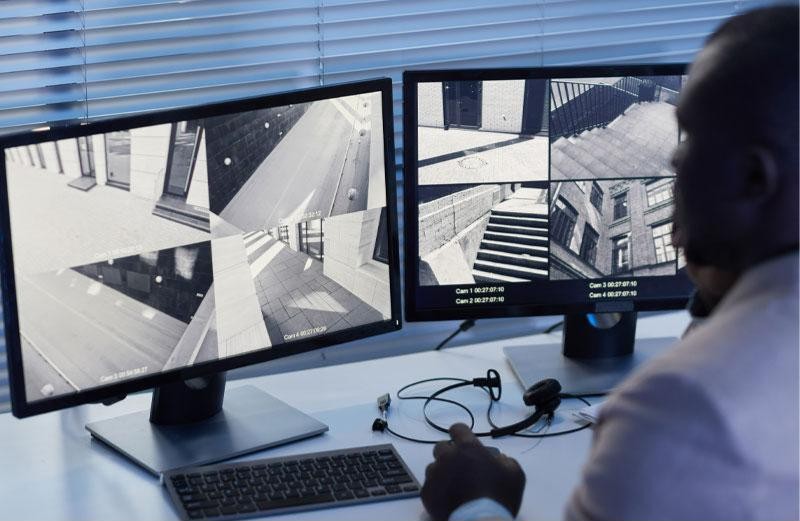
The most persistent one is that monitoring means a live person is watching a camera feed around the clock. In practice, monitoring means a center waits for a sensor to trigger an alert, then reviews and escalates it, which is a meaningfully different promise than constant observation.
Myth: More Sensors Always Mean Better Coverage
A second myth worth retiring: more sensors do not automatically mean better coverage. A facility with sensors crammed into low-risk corners while a loading dock sits uncovered has a coverage gap dressed up as a thorough system. The sensor count on a quote matters less than whether those sensors sit where an actual intrusion is likely.
Myth: Every Monitoring Company Offers the Same Service
A third assumption that trips up many facilities: that every monitoring company offers roughly the same service, so the choice comes down to price. Response protocols, verification methods, and how quickly a center escalates a confirmed event vary between providers, and those differences matter more during an actual event than on a sales call. 6 Myths About Commercial Alarm Systems That Could Leave Your Business Exposed walks through these misconceptions and a few others in more detail, including the assumption that switching monitoring companies is a simple swap.
The businesses that avoid these mistakes tend to ask pointed questions before signing anything: what exactly happens between a sensor tripping and a human reviewing it, how is a false alarm distinguished from a real one, and what does the contract actually guarantee about response time versus what gets implied in a sales pitch.
How Do You Evaluate and Choose an Alarm Monitoring Company?
The equipment on the wall matters less than who answers when it goes off.
Questions to Ask Before Signing
- Verification: Can the provider confirm an alarm using video footage or access control data before escalating, or does every signal get treated the same regardless of how likely it is to be a false alarm? How Does Alarm Verification Work in a Commercial Security Alarm System? covers that process step by step, including how access control logs factor into confirming what actually happened.
- Integration: Can the monitoring company connect to the access control and video systems already installed, or does it add a fourth system to manage rather than strengthening the three a facility already has? A company that specializes in commercial security monitoring and automation can typically fold alarm monitoring into the same dashboard a facility already uses for door events and camera footage, reducing the number of places a security lead has to check during an incident.
- Equipment portability: If a facility ever wants to switch monitoring providers, does the existing panel and wiring transfer, or does a new provider require a full equipment swap? A provider that locks a facility into proprietary hardware is making a future switch more expensive than it needs to be.
Cobalt FTS can walk a facility through which monitoring arrangement fits its risk level and staffing, rather than starting with a specific product.
When Should You Upgrade or Re-Evaluate Your Current Alarm Setup?
An alarm system rarely fails all at once. It tends to degrade in small, easy-to-miss ways.
Signs It’s Time to Re-Evaluate
- A battery backup that no longer holds a full charge
- A sensor that occasionally misses a trigger
- A panel that still relies on a phone line a facility barely uses for anything else
Any of those on their own might not justify a replacement, but together they are a pattern worth noticing before a real event exposes the gap.
Operational Changes Worth Acting On
- Adding a second shift
- Expanding into a neighboring suite
- Bringing on a new tenant
- Adding video surveillance or access control since the alarm system was installed
Any of these changes who needs access and when, and an alarm schedule built for the old footprint will not automatically catch up. If the newer systems are not talking to the alarm, an upgrade that brings them onto one platform usually pays for itself the first time it helps confirm a real event faster.
Replacing a system outright is not always necessary. Cobalt FTS often upgrades existing alarm setups using the cabling and infrastructure already in place, keeping the project closer to a planned transition than a full rebuild. A facility unsure whether its current setup still fits should start with a straightforward conversation rather than assuming the only options are keep everything or replace everything.
Already working with an aging panel or an unreliable monitoring arrangement? Cobalt FTS can review what is already installed and provide a cost estimate for a cost-effective upgrade before anything gets torn out.
What Sets Cobalt FTS Apart as a North Texas Alarm System Provider
Cobalt FTS has operated as a state-certified North Texas commercial security integrator since 1998, with an in-house technical team that handles design, installation, and ongoing support across Dallas, Fort Worth, and the surrounding region without handing a project off to subcontractors partway through. That continuity matters most the first time a sensor misbehaves at an inconvenient hour, and a facility manager needs someone who already knows the building to answer.
Every project still starts with a site assessment, not a standard quote. A warehouse with a loading dock, a school with after-hours activity, and a data center with round-the-clock access needs do not share the same risk profile, and treating them identically usually means over-securing the areas that matter least while leaving the areas that matter most undercovered.
Alarm and video integration is central to how Cobalt FTS designs every system, working alongside the access control a facility already runs or plans to add next. That same integration philosophy carries through every industry the company serves, from schools and healthcare facilities to manufacturers, data centers, government offices, and warehousing operations across North Texas and the broader Texas market.
Choosing a security alarm system for business comes down to whether the sensors, the monitoring arrangement, and the integrator behind both actually work together as one system, not whether any single component looks impressive on a spec sheet. Facilities that get this right tend to start with a clear picture of their own risk rather than a generic package, and they ask pointed questions about monitoring and integration before signing anything.
If that starting point sounds useful, contact Cobalt FTS about what a right-sized commercial alarm system would look like for your facility.
Frequently Asked Questions
Can an existing alarm system be upgraded without replacing all the equipment?
Often, yes. Cobalt FTS often reuses existing cabling and compatible sensors during an upgrade, keeping costs closer to a planned transition than a full replacement.
Do panic and duress buttons require a separate monitoring contract?
No. Panic and duress alarms typically run through the same panel and monitoring arrangement as the rest of the intrusion alarm system, so they do not require a standalone setup.
What happens if a sensor triggers a false alarm?
A properly configured system uses verification, such as video footage or access control data, to help a monitoring center distinguish a false trigger from a real event before escalating further.
Should a growing business plan its alarm system for more than its current footprint?
Yes. A system sized only for today’s floor plan is one of the more common reasons a facility ends up re-evaluating sooner than expected. Planning for the next expansion avoids a second procurement cycle down the line.

Recent Insights
November 24, 2026
A monitoring company’s pitch almost always leads with speed: how [...]

November 23, 2026
Most business owners buy an alarm system once every several [...]
November 22, 2026
Every business eventually turns the lights off and walks away, [...]


